04.13.10
Posted in Blogging, Facebook, Friends, Marketing, Random thoughts, Social Media, quicktip at 1:06 am by Curtis J. Morley
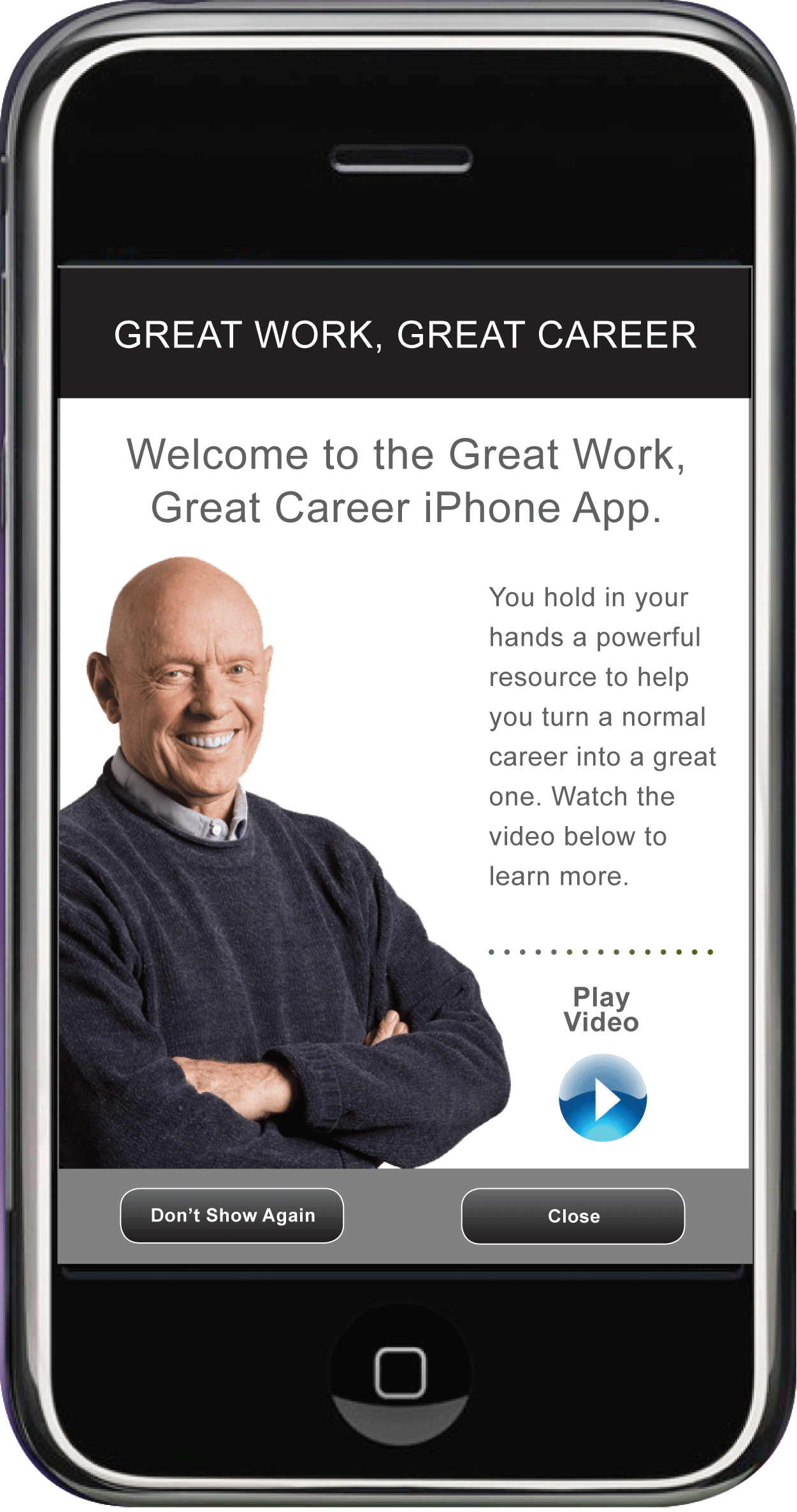
April 13th only the "Great Work, Great Career" iPhone app is available for the price of $2.99. It has been selling for $9.99 but to help with the downturn in the economy FranklinCovey is offering the iPhone app for this special price today only.
The app is fantastic and it really should be 5 apps sold seperately.The application helps you find a job if you are looking and helps you keep your job and make a difference at your company if you are employed. Get the FranklinCovey iPhone app.
Here are some screen shots.

Great Work, Great Career, Great iPhone App
You can ask Stephen R. Covey or Jennifer Colosimo questions about getting and keeping a job directly through the app.

The app comes loaded with videos from Stephen R. Covey and Jennifer Colosimo
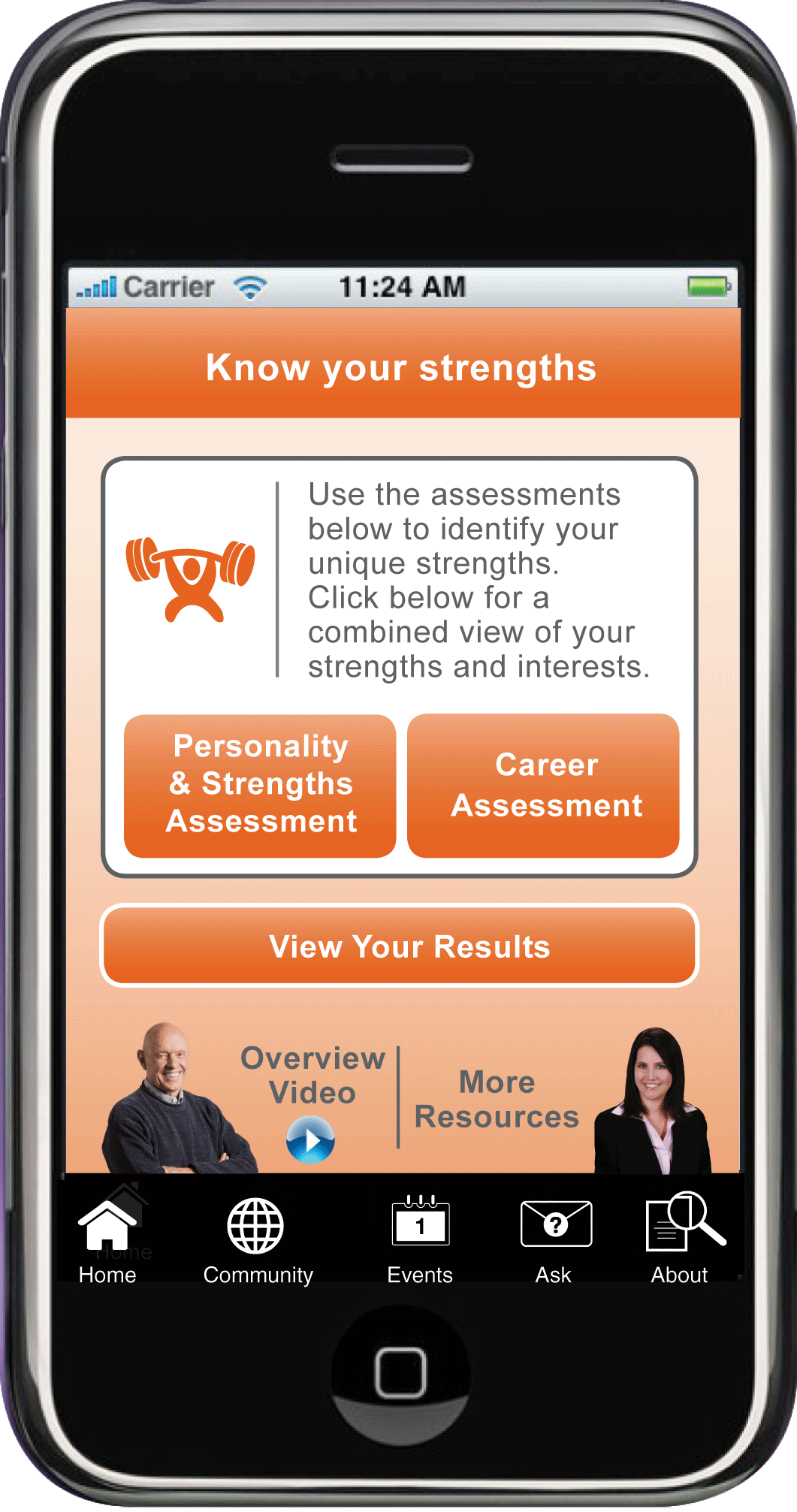
One of my favorite features of the app is the Strengths finder. It helps you make a difference for you company by laying out your strengths and helping you tap into them more.

Find out what your true strengths are and how to best use them.
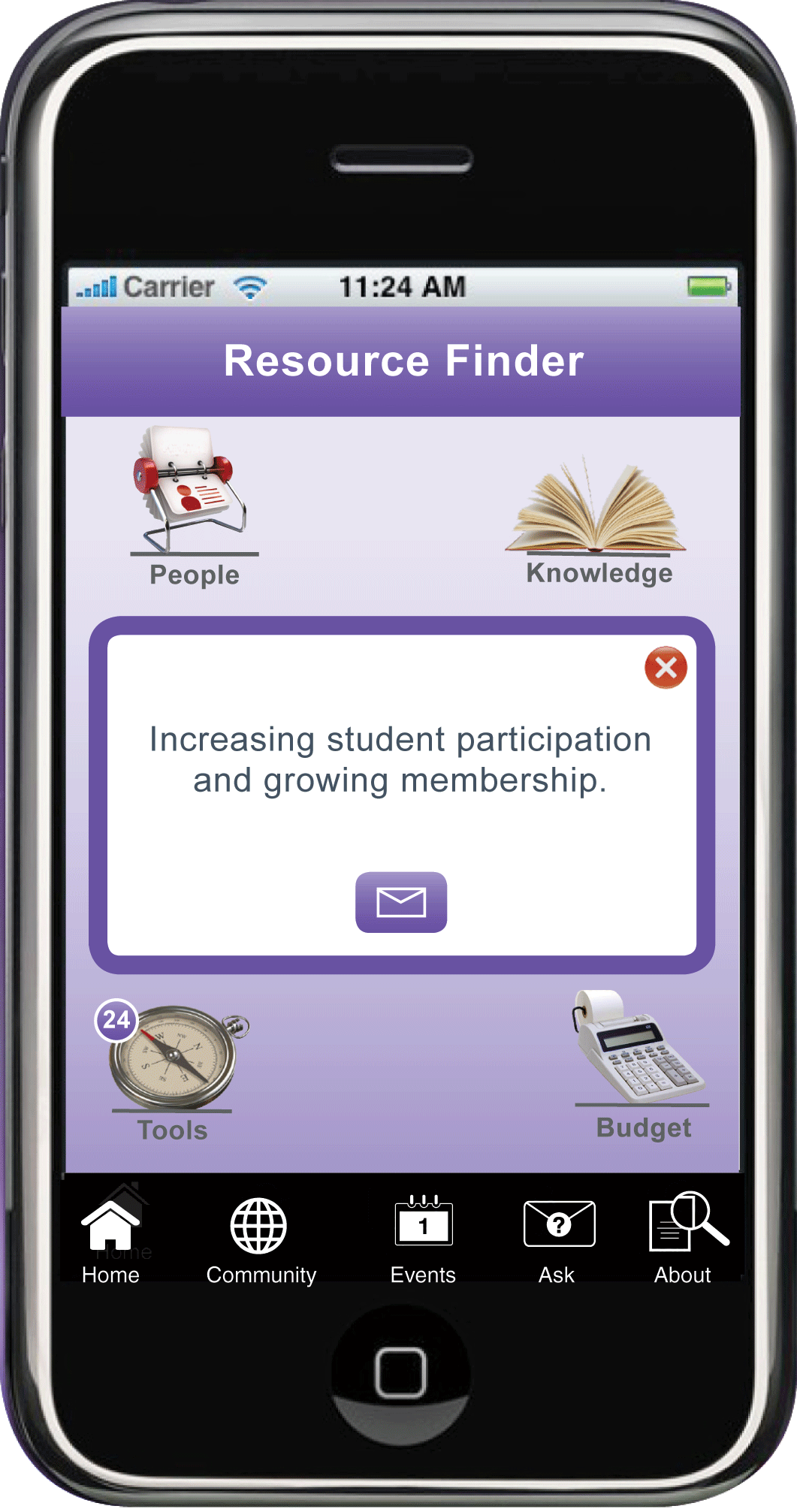
The "Resource Finder" is where you go if need to get a job.

Find the right job and get the skills you need with the Resource Finder
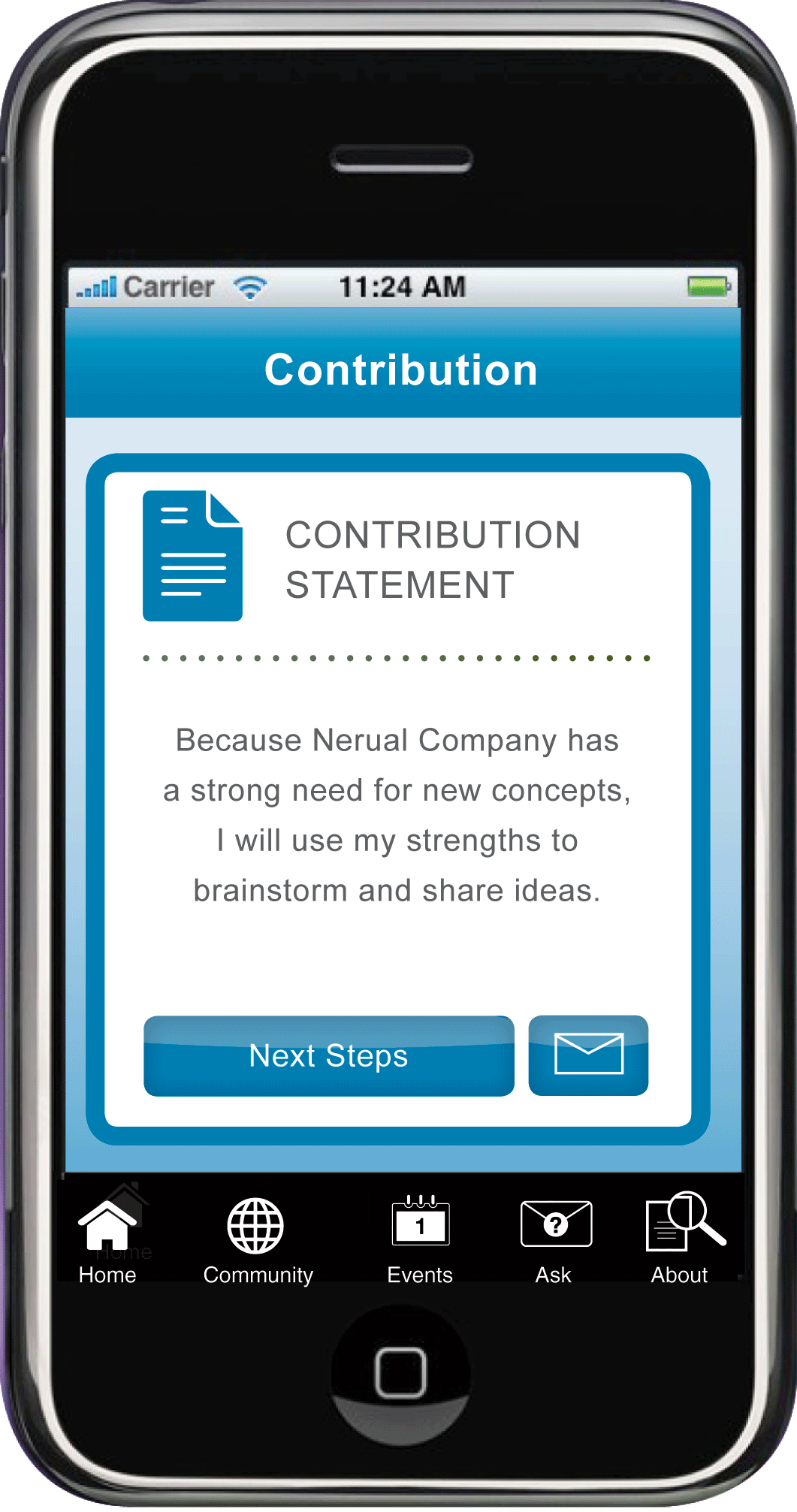
Once you have a job and know your strengths then use the app to set out to make a difference with your "Contribution Statement"

Don't Just Work - Contribute!
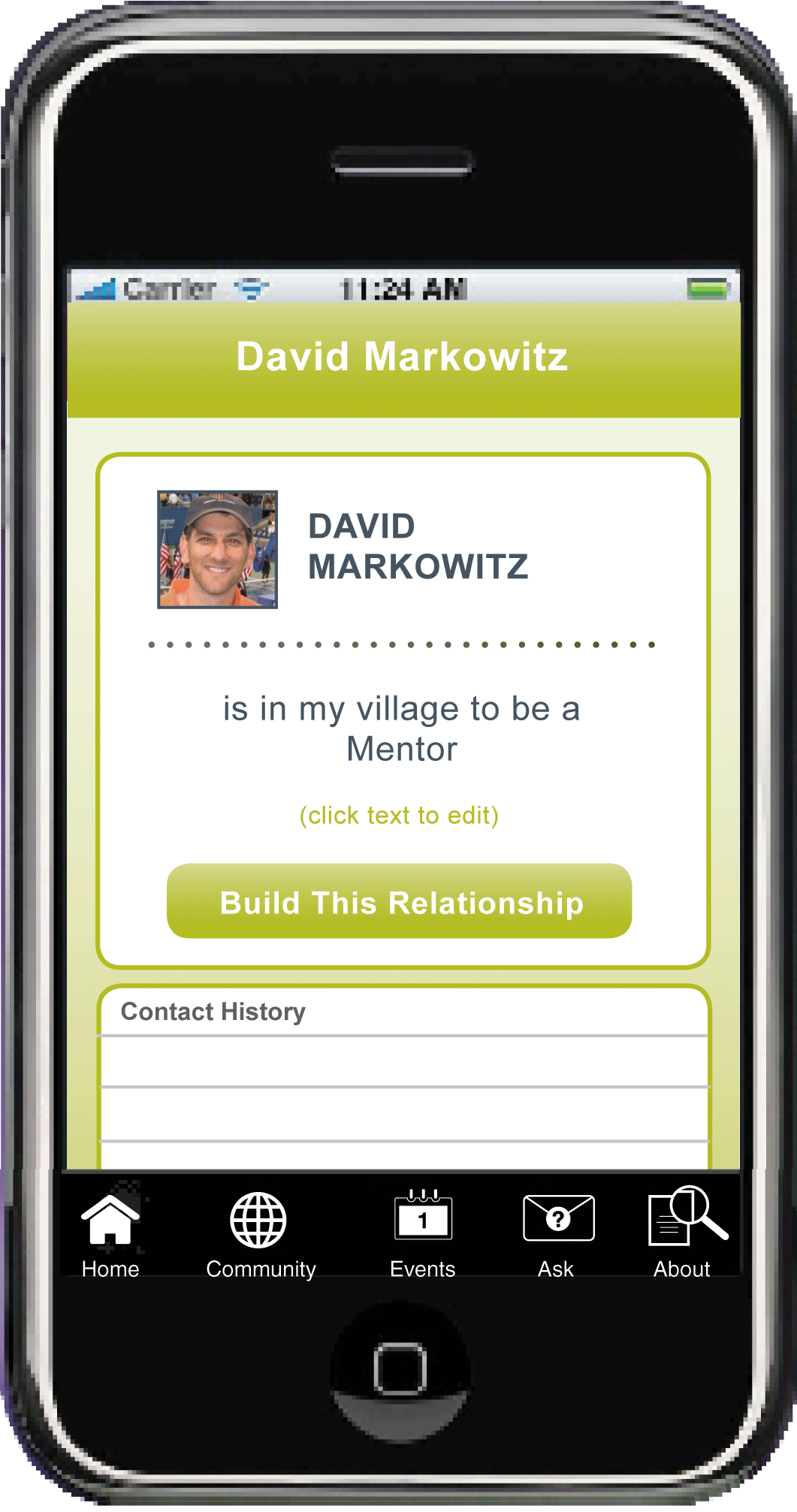
Another awesome part of the app is creating a "Village" where you have instant access using your own contacts to in a way you may never have thought of before.

Who is in Your Village?
Get the Great Work, Great Career iPhone app today.


Permalink
02.28.10
Posted in Facebook, Interactive, Marketing, Social Media, twitter at 8:48 am by Curtis J. Morley
About three or four years ago I was giving a presentation about technology at a large prestigious University to a group of Masters students soon to graduate. The presentation was going well and the crowd seemed to be engaged and enjoying what I had to say. I had made it through approximately half of my slides and had mentioned something about an email I had received when from the middle of this auditorium style room a kid shouted out, "Email is for old people."
This comment caught me off guard and I stopped the presentation. I asked, "Who just said that?" The setting was very formal and no-one volunteered themselves right away. The crowd was large enough that I couldn't pick the It seemed that whoever had made the disruption realized that maybe he shouldn't have blurted out the comment or else he thought that I might be upset about his actions. After some cajoling, a hand was raised and the once brazen student admitted to the outburst.
I asked him, "What do you mean, email is for old people?" He explained, to the agreement of the crowd, "No one uses email anymore! The only time we use email is when our professors make us check our grades." I was very interested in what he had to say and so instead of continuing on my topic I put away my clicker, abandoned my slides and just had a conversation with the group.
"So Who uses email on regular basis?"
Less than a fourth of the hands went up.
"How do you get a hold of one another?"
"We text, twitter, or Facebook."
"Email is so slow. We want to get ahold of our friends instantly."
"Yeah, it takes forever to get someone to answer an email."
"We can text during class and in meetings. You can't really do that with a phone call."
"How many of you will text first instead of calling on the phone?"
Almost all hands were raised.
"How do you communicate anything substantial, with only 160 characters?"
"U only need 160 chars 2 say what U need 2 say. FYI."
"Facebook is for bigger stuff - and pictures."
"If you really need to write something big you just post it to your blog. I have an RSS feed of all my friends blogs."
The conversation continued like this for the duration of my visit. The votes were in and email failed the test of GenY and the Millennials. The next generation weighed-in and without an instant response they are not interested.
A friend of mine, James Keddington, heard a similar story when he saw Gen. Colin Powell speak who shared an experience about his Grandson saying the same thing, "Email is for old people Grandpa!"
So, what does this mean for the world of Marketing? It means that those Masters students have been in the work force for several years now. It means that we can not ignore the power of new media, social networks, and social media. It means that 1f we adapt our products and marketing efforts to this group where they live, how they live and on the platforms they live on then we will span the generational gap and be a thriving company in the next five years.
Thanks,
Curtis J. Morley
P.S. Let's regain our youth and instigate a worldwide "Email Free Friday."
Permalink
12.31.69
Posted in Blogging, Browser, Marketing, SEO, Search Engine, Social Media, WordPress, quicktip, twitter at 5:00 pm by Curtis J. Morley
- Determine Beforehand the 1-3 Keywords You Want Google to Find.
Before you type a single line, determine which keywords you will target with your post. In other words, what do you want people to type into Google to find your blog post. Once you have these keywords put them all over in your post in different variations. You will notice that throughout this post I will include the terms; "Google Food", "Search Engine Indexing", "Google to Index your Site", "High Rankings in Google", "SEO and Google Ranking", etc... (Oh look I just added them again)
- Put at Least One of the Three Keywords in the Title.
If you want Google to list you with a high search ranking for the word “Leadership”, an appropriate title would be, “Leadership for the Next Century.“ For Google to index your site, the way you want it indexed, you must have a title that contains at least one of these keywords. Because of the font size of the Header it will increase in importance according to Google's algorithm.
- Make Sure that Wordpress (or whichever blogging software you use) is Setup to Create Each New Page URL the Same as the Title.
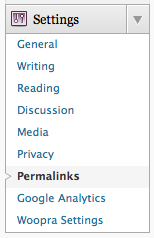
In WordPress (the most common blogging tool which this site is based off of) Go to Settings >> Permalinks >> Select >> and choose either “Day and Name” or “Month and Name”. The URL is critical to search engine indexing. If the link says www.myblog.com/leadership vs. www.myblog.com/?p=123 it will be Google Food.

One way to get Google to Read Your Blog
- Caption all Images with the Keywords Chosen.
If your term is “Leadership” then insert an image that portrays leadership and then give it a title and caption that has the word leadership in it. Notice the caption of the image above. The caption and title of this post reads nearly identical.
- Match Your Categories, Tags, Excerpt and Metadata to Your Keywords.
Include several variations of the keyword terms in the tags, categories, and excerpts. For example – Leadership in Action, Corporate Leadership, Leadership Consulting, Leadership Solutions, Organizational Leadership, etc... This is an easy way to get high rankings in Google.
- Keep to a Theme
Give your blog a theme and keep things organized within that theme. Don’t write about your dog one day and U.N. Diplomacy another day. Make sure that you are consistent in what you post. Google loves reading blogs that not only have appropriate keyword density on a page but keyword density across your whole site.
- Link to and From at Least Three Other Sites
Do a Google search on the keyword that you are trying to target and start clicking on the most popular. Find a way to comment on each of the top sites and make sure to include a link back to your blog. Also, throw an update (with link) on Twitter. Within your blog link over to other sites (including within your own site and other domains you own or use) that will most likely link back to you. The more links you can get the higher your "popularity" and Google is like a teenager the way it cares about popularity. Another great site that has a lot of great info on SEO and Google ranking is my friend's site called Nick's Traffic Tricks
Thanks and Happy blogging.
Curtis J. Morley
Permalink