Have you ever had a list in excel or word and needed that list to be separated by a comma and space instead of a new line. Well I have, and still do, so, I thought I would write this little Flash app that creates comma separated values from a list separated by new lines. In other words a list of zip codes will go from this:
84057
84119
84663
84523
to this:
84057, 84119, 84663, 84523
Enjoy and Happy Flashing. Parker, this ones for you.
Posted in Adobe, Flash at 11:48 am by Curtis J. Morley
Flash on the iPhone
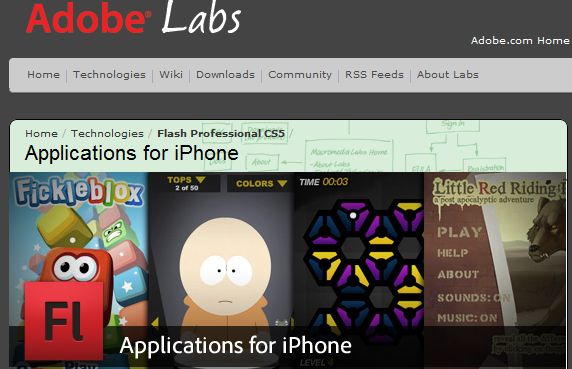
Finally it is true. You will soon be able to use Flash Pro CS5 to develop iPhone apps. It only takes an export. There are currently a handful of apps up on the iTunes Store. Go sign up for the beta
Posted in Adobe, Flash at 11:39 am by Curtis J. Morley
Flash Player 10.1 is now available which gives mobile phones users the ability to run the full version of Flash on a mobile device. This release has a tremendous amount of features and developments. As you can see in this graphic from Kevin Lynch's presentation Flash Player 10.1 is now:
Smartphone enabled
Multitouch capable
Accelerometer capable
Hardware accelerated
HTTP video streaming capable
Contains content protection
Has Peer assisted networking (social network integration)
Flash Player 10.1
Flash Player 10.1 also has significant performance enhancements as you can see in the graph below.
Here is the quiz of the day.
Which Browsers Come Preinstalled with Flash Player?
Icons for IE8, Chrome2, Firefox 3, Safari 4, Opera 9
Which Browsers come preinstalled with the Flash Player plugin pre-installed?
Internet Explorer 8 (8.0.7100.0)
Google Chrome 2 (2.0.172.37)
Firefox 3 (3.51)
Opera 9.7 (9.64)
Safari 4 (4.0.2)
Find out the answer after the break.
Break
If you guessed Internet Explorer 8 you would be right. The way I found this out is because our computer failed and I took it in to get it fixed at EBC computers who did a great job (a little pricey) and replaced the harddrive and installed Windows 7 as the OS. The first thing I did (after plugging it into our 25" monitor at home) was to download the various browsers. I then saw the page on Opera Mobile and wanted to check it out. Surprisingly none of the browsers (including Opera which was the site I was on requiring Flash Player) had the Flash Player preinstalled except for Internet Explorer 8.
And here are the screenshots to prove it.
Google Chrome Flash Plugin Screenshot
Google Chrome isn't preinstalled with Flash Player
Safari Flash Plugin Screenshot
Safari Browser is not presintalled with Flash Player but had a detiled pop-up
Firefox Flash Plugin Screenshot
Firefox Browser is not presintalled with Flash Player. This was pretty lame.
Opera Flash Plugin Screenshot
Opera Browser is not presintalled with Flash Player. The lamest of all.
So what should you do if you run into this scenario? Go to Adobe of course and Get the Flash Plugin.
I am excited to say that I will be speaking at the E-Learning DevCon. E-Learning DevCon is arguably the best Flash E-learning conference around. This is one of those hidden gems that people talk about long after they are gone. Some of the most respected E-learning and Interactive Instructional designers will be at this conference. Sign up quickly because it is filling up fast.
Presentation:
FLOOGLYTICS = Flash + Google Analytics
Flash and Google Analytics = FLOOGLYTICS Flash has always been considered the ugly step sister in the world of SEO and Analytics. Well now Flash takes "Center Stage". Using Google Analytics data can be extracted from Flash that could never be pulled from HTML. This session will explore the ins-and-outs of how to setup Google Analytics to work most effectively with your Flash files and how to set up Flash to work most effectively with your Google Analytics account. Go beyond just seeing what users did. See what users meant to do or even wanted to do but didn't. The most important part of the equation is how to refine this gold that Flash and Google Analytics provide. Walk away from this session armed with the tools you need to implement Flooglytics and make your site effective.
I am excited to say that I will be speaking at the E-Learning DevCon. E-Learning DevCon is arguably the best Flash E-learning conference around. This is one of those hidden gems that people talk about long after they are gone. Some of the most respected E-learning and Interactive Instructional designers will be at this conference. Sign up quickly because it is filling up fast.
Presentation:
Cognitive Learning
Cognitive Learning Screenshot
This lecture will engage you and bring to life aspects of learning that are only now being tapped through technology. This style of learning walks through how technology can take learning from a passive experience to an engaged and cognitive experience. We will look at how the use of video and divergent paths can engage learners like never before. Curtis will show the product that has only been shown at one other conference - the Global Chinese Conference for Computing in Education. Come at let your brain be engaged.
ActionScript WARNING: Text field variable names are not supported in ActionScript 3.0. The variable 'btnName' used for an unnamed text field will not be exported.
ActionScript Warning Description:
So I was going back to restructure a project that I had done in AS2 and a previous version of Flash. I thought I had converted all of the old AS2 code, and components, and naming conventions, etc... when this error popped up. The error made a lot of sense until I went to fix it. The image below is what I saw when I went to the place that I thought be the resolution to this error.
Text Field Variable Names not displaying in CS4/AS3
Flex / Flash Text Field Variable Warning Fix: I searched around at other buttons and tried to find something else that might have been it even though I knew that this was the correct text field. The way to solve this is to revert back to AS2 in your publish settings ( FILE >> PUBLISH SETTINGS >> SCRIPT drop down) and then go back to the text field in question and you will be able to delete the variable name. Don't forge to return to ActionScript 3.0 after you delete the variable name.
File >> Publish Settings >> Script Option
and with this option selected you can then delete the variable name as shown below.
Text Field Variable Names not displaying in AS2
This should help you resolve Flex / Flash Text Field Variable Warning
ActionScript Error 1126: Function does not have a body.
ActionScript Error 1126 Description:
I got this error from one of my UVU students code. And as promised in honor of her I am thusly naming AS3 Error 1126 the Erin Johnson Error. This error is given, in this case, because a semicolon is used instead of a colon after the parenthesis. A semicolon in the ActionScript language is equivalent to a period in the English Language which means that if Flash sees the semicolon it says to the compiler finish this line of code and move on. The colon on hte other hand is used to say what Type something is or in the examples below what "Type" of data will be returned when the function is called. In the example below we don't want to return a type so we use :void (notice the colon). This should help solve AS3 Error 1126.
Flex / Flash Error #1126 Fix: Replace the semicolon with a colon.
Bad Code 1:
function someFunc(event:MouseEvent);void
{
doSomething();
}
Good Code 1:
function someFunc(event:MouseEvent):void
{
doSomething();
}